2026 · OLX
One prompt, described once. A pipeline that runs itself.
I turned one prompt into a 5-minute illustration pipeline.
Quick overview
- Year
- 2026
- Company
- OLX
- Role
- Product Designer, OLX
- Team
- Built solo
Not a product design case study in the usual sense – a workflow I built to solve my own production bottleneck. Generating 47 on-brand illustrations one Gemini prompt at a time was slow and repetitive, so I described the automation I wanted in plain language and had Claude build the n8n pipeline that runs it. It now generates the full set in under five minutes, and the approach has since spread to other teams at OLX.
A quick note before this one: it isn’t a product design case study in the usual sense – there was no user research, no Figma file, no rollout plan. It’s a small piece of tooling I built for myself, off to the side of my actual design work, because a recurring task was eating time that should have gone to design instead. I’m including it because it says something about how I use AI day to day: not just to generate an image or a line of text, but to build the thing that generates them, over and over, without me.
The problem: the same prompt, 47 times
Jobs Hub on OLX needed a full set of illustrations – one per subcategory – all sharing the same look: a soft clay 3D render, a fixed teal accent, a consistent volumetric shadow, the same beige/cream palette, the same background and lighting. Getting a single illustration out of Gemini was easy. Getting 47 consistent ones was not: each one meant a fresh session, re-uploading the reference images, and retyping the same style instructions, by hand, every single time.
That repetition is exactly the shape of problem worth automating: real volume, a genuinely repeatable pattern, and enough tolerance for the occasional miss that a pipeline was worth the setup cost. A one-off task isn’t worth automating – doing it by hand is faster. This one cleared the bar easily.
Building it: I described it, Claude built it
I don’t write n8n workflows for a living, and I’d never built one with loops, external APIs, or error handling before. So instead of learning that from scratch, I described the end goal to Claude in plain language – what the pipeline needed to do, not how to do it – and Claude generated the complete workflow. I didn’t write a single line of it by hand.
The loop after that was short and very iterative:
- Import & test. Pasted the generated workflow into n8n and ran it. The first run failed – which, with a brand-new pipeline hitting a live API for the first time, is normal, not a setback.
- Debug. I shared the error message back with Claude and got a diagnosis and a fix in one message.
- Iterate. Two more rounds of the same loop, and the pipeline ran clean end to end.
Inside the workflow
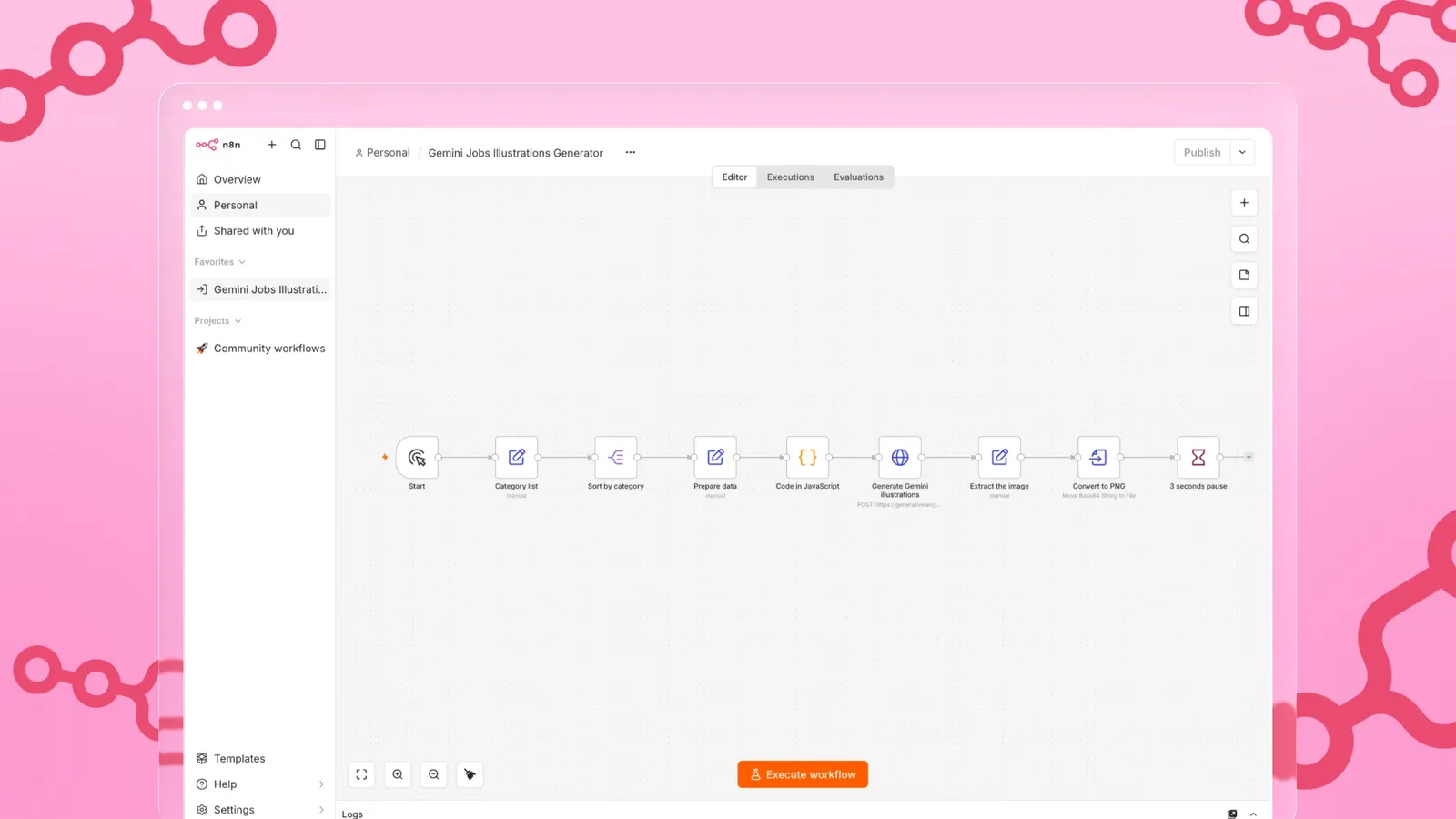
The finished pipeline reads a list of Jobs Hub subcategories, each one mapped to the specific object it needs illustrated, and works through them automatically:
- Load the category list and sort it.
- Prepare the data for each category – name, object, and the reference images that anchor the style. The reference images have to be encoded too (as Base64), because that’s the form n8n accepts them in.
- Assemble the full prompt and send it to Gemini’s API to generate the illustration.
- Extract the generated image from the response.
- Convert it to a PNG and hand it off.
Every category runs through the same five steps without anyone re-typing a style block or re-uploading a reference image.
The result
| Metric | Value |
|---|---|
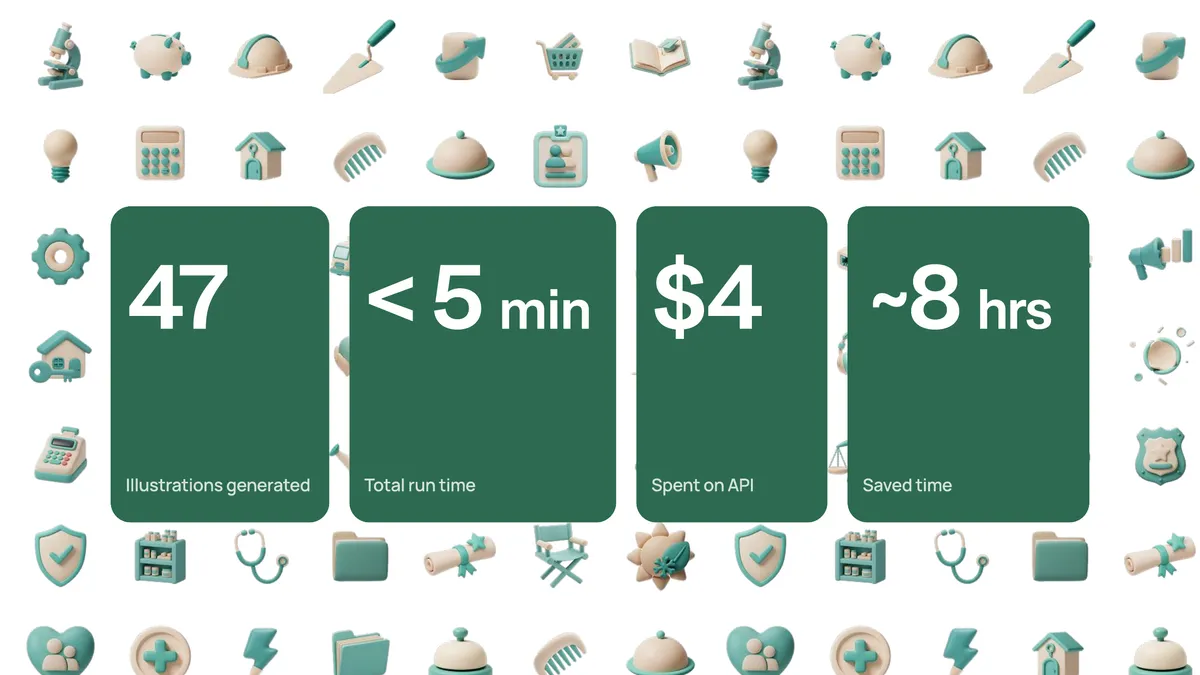
| Illustrations generated | 47 |
| Total run time | Under 5 minutes |
| API cost | $4 |
| Manual time saved | ~8 hours |
The full set came out consistent – same render style, same palette, same lighting – because the pipeline applies the same instructions every time, which is exactly what manual, one-at-a-time prompting couldn’t reliably guarantee.
Word got around after the fact, and the approach is now spreading to other teams that need illustrations at OLX, with the same style guardrails applied to different prompts and categories rather than everyone building their own version from zero.
Where this goes next
This is genuinely still in progress, not a finished product:
- Image quality. Locking exact padding within the frame, guaranteeing a transparent background every time, and settling the target export size against Gemini’s native output size.
- Opening it up to non-builders. Exploring a lightweight interface – something like a chat-based assistant – so people who don’t use n8n can generate on-brand illustrations without touching the workflow itself or seeing any of the underlying code.
- One consistent approach across teams. The same style guardrails, applied to different prompts for different products, with a designer check built into the process before anything ships, and the pattern documented centrally as the source of truth.
What I’d tell someone trying this
I didn’t have a plan when I started – I had a single working prompt and zero experience with loops, APIs, or error handling in n8n. What actually got this built was typing a plain-language description of the end goal, building the workflow one exchange at a time while testing as I went, and treating every failed run as a normal step in the process rather than a sign I was doing something wrong. That loop – describe, generate, test, debug, repeat – is the whole method, and it scales to far more than illustrations.